Guide

Add an M3U playlist on iPhone

Tapping an .m3u link on an iPhone does nothing on its own. iOS has no built-in player for one. Two routes get it into PixelPlay, and one setting decides whether your TV guide fills in.

Get PixelPlay free

iOS 17+  ·  One playlist on the free tier

Background

What your provider gave you

An M3U file is a plain text list of stream addresses with a label for each one. Providers send it two ways: a link ending in .m3u or .m3u8 that stays current as they change the line-up, or a file you download once.

Take the link if you get the choice. A downloaded file freezes the channel list on the day you saved it, so you re-import whenever your provider adds or drops a channel.

Do this first

Find out whether the playlist still works

Plenty of "the app is broken" turns out to be a playlist that stopped answering. Paste the link into our Playlist Health Check and it tests every channel, telling you which are alive, dead or unverifiable. It runs in the browser, asks for no signup, and keeps no record of the check. Five minutes here saves an hour of blaming the player.

Check my playlist
Route A

A playlist link

Use this when your provider gave you a web address. It is the route to prefer.

01

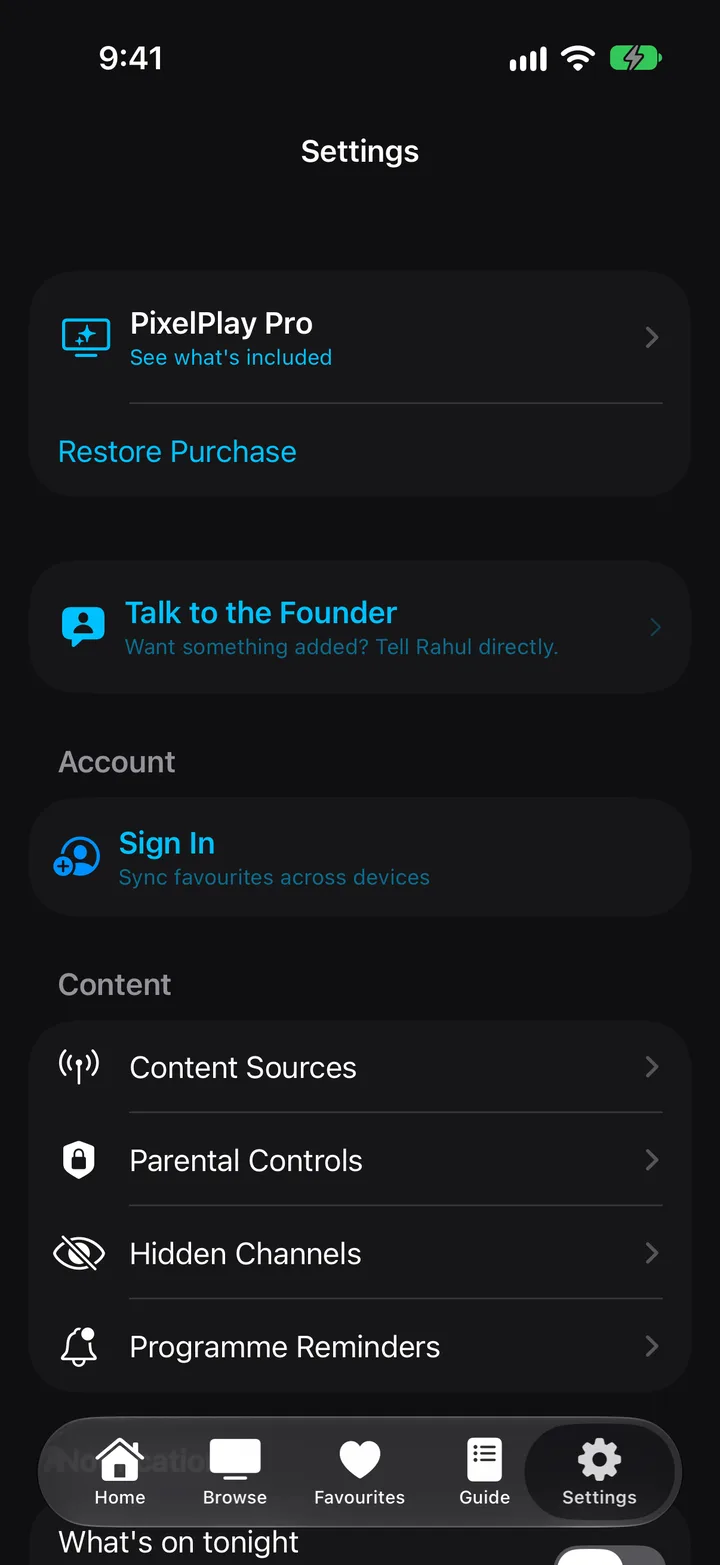
Open Settings, then Content Sources

Settings sits in the tab bar. Content Sources is the first row under the Content heading.
02

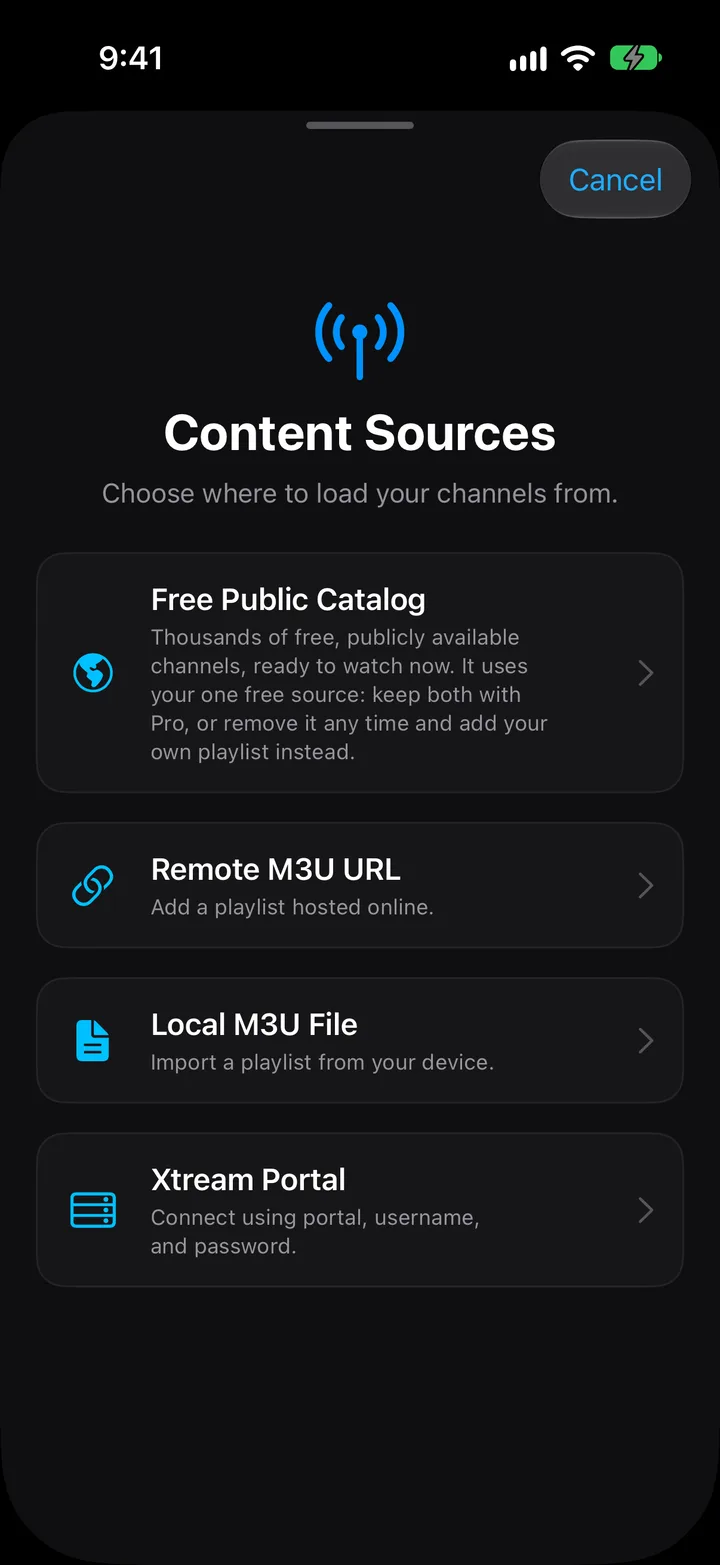
Tap + in the top right, then Remote M3U URL

Four cards appear. The second one is Remote M3U URL.

03

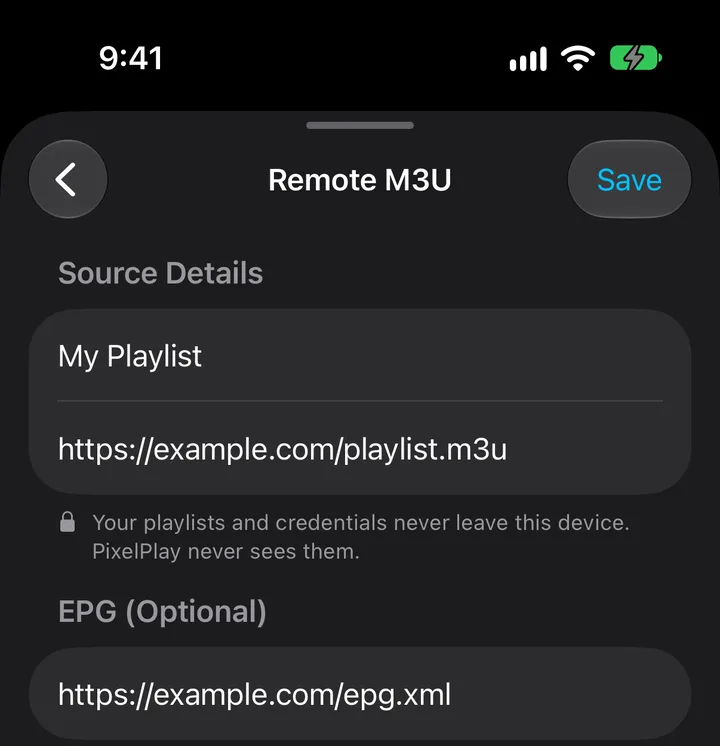
Name it and paste the address

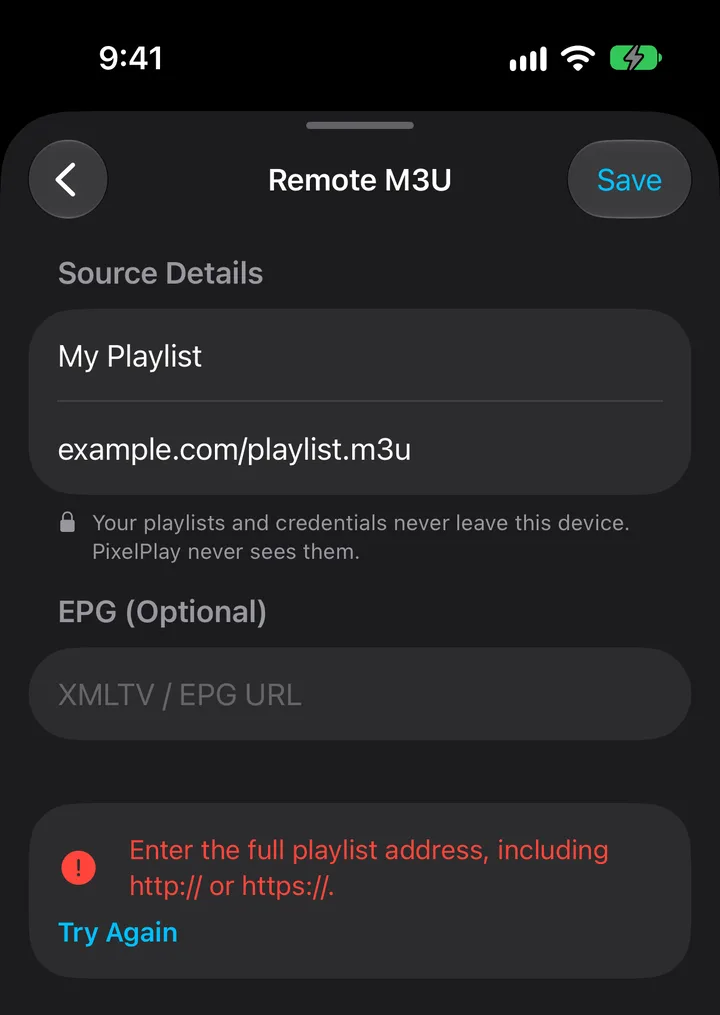
The name is for you alone. Paste the playlist address into the M3U URL field, keeping the http:// or https:// at the front. PixelPlay rejects an address with no scheme and answers Enter a valid URL.

04

Add your XMLTV address under EPG

PixelPlay marks the section optional, and skipping it is the most common reason the TV guide stays blank. Read the section below before you decide.
05

Tap Save

Save wakes up once the name and the URL both hold something. PixelPlay shows Saving & Syncing while it downloads the playlist and sorts the channels by category and country.

Route B

A file on your phone

Use this when your provider emailed an attachment or you saved the playlist to Files or iCloud Drive.

01

Save the file where iOS can reach it

From Mail, tap the attachment, then Share, then Save to Files. Anywhere in Files or iCloud Drive works.

02

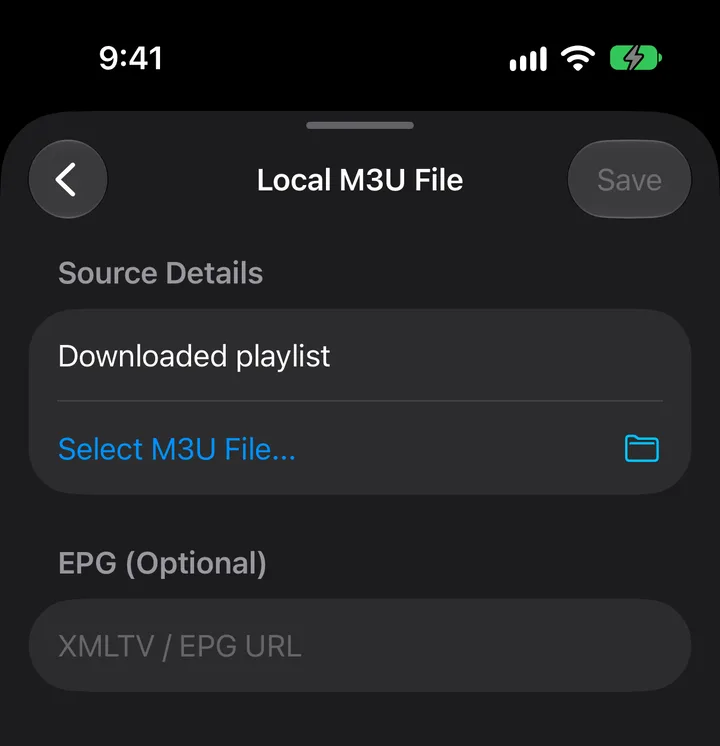
Settings, Content Sources, +, Local M3U File

The third card on the sheet.

03

Name it, then tap Select M3U File

The Files picker opens. PixelPlay accepts M3U playlists and plain text files, so a playlist saved as .txt still imports. Once you pick one, the row shows the file name in place of the prompt.

04

Tap Save

Save wakes up once you have both a name and a file. If iOS refuses the file, PixelPlay reports Could not access the selected file, which usually means the file moved or lives somewhere the picker cannot reopen. Save it again from Files and retry.

The TV guide

Why the guide stays empty

An M3U playlist lists channels. It carries no schedule, whatever attributes the file holds. PixelPlay fills the guide for an M3U source from one place: the XMLTV address you type into the EPG (Optional) field.

Leave that field empty and the guide stays empty for that source. This catches people out, because the field sits under a heading marked optional.

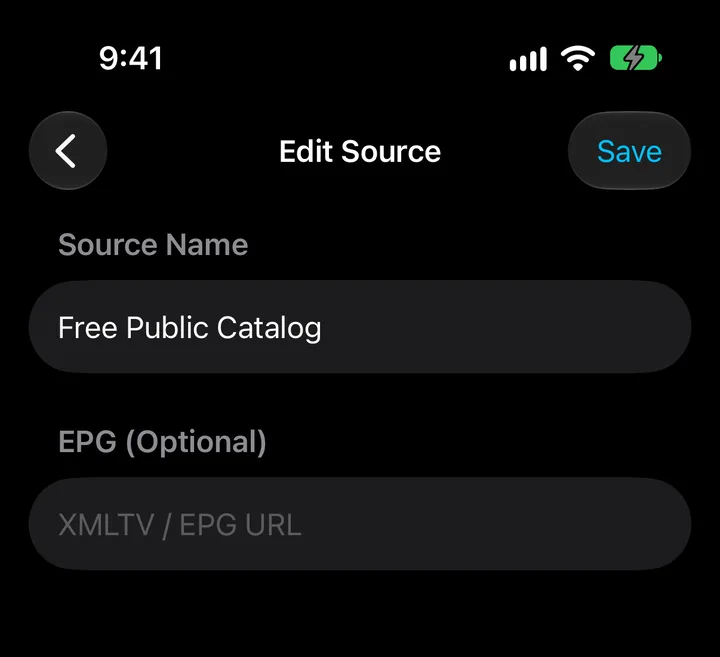
Ask your provider for their XMLTV or EPG URL. You can add it later through Settings → Content Sources by opening the source and filling the same field. An Xtream Codes account works differently and supplies its own guide, so that field stays empty there.

When it fails

The three things that go wrong

A

Enter a valid URL

The address has no http:// or https:// in front, or a space slipped in when you copied it. Paste the whole address, including the scheme.

B

The playlist saved but no channels appeared

PixelPlay reached the address and found nothing it could read as a playlist. Providers often expire a link, or hand out a portal address that belongs in the Xtream form instead. Run the link through the Health Check to see what the server returns.

C

Channels appeared but many will not play

The playlist is fine and individual streams are down. This is your provider's side, and the Health Check gives you the count of alive against dead so you can take it to them with evidence.

Playback that stutters after a channel starts belongs in playback troubleshooting.

Cost

What this costs you

Nothing. The free tier holds one playlist of your own and keeps it, alongside live playback, pause and rewind, favourites with sync, AirPlay and Google Cast.

A second playlist is where PixelPlay Pro starts, at $9.99 once. Pro also adds Picture-in-Picture, Multi-View and locks behind Face ID.

Questions

M3U on iOS

Still stuck

Tell us what the app said

Send the exact wording of any error, and the result your playlist gets from the Health Check. Leave out the playlist address itself if it carries your credentials. We answer within 24 hours, Monday to Saturday.

admin@srstech.in

Connecting an Xtream Codes provider instead? Read the Xtream Codes guide.